Branchat
A chat interface that lays out a long LLM conversation as a tree, so you can go back along a branch, label nodes and see the whole conversation.
- When
- Sep – Nov 2025
- Role
Walkthrough
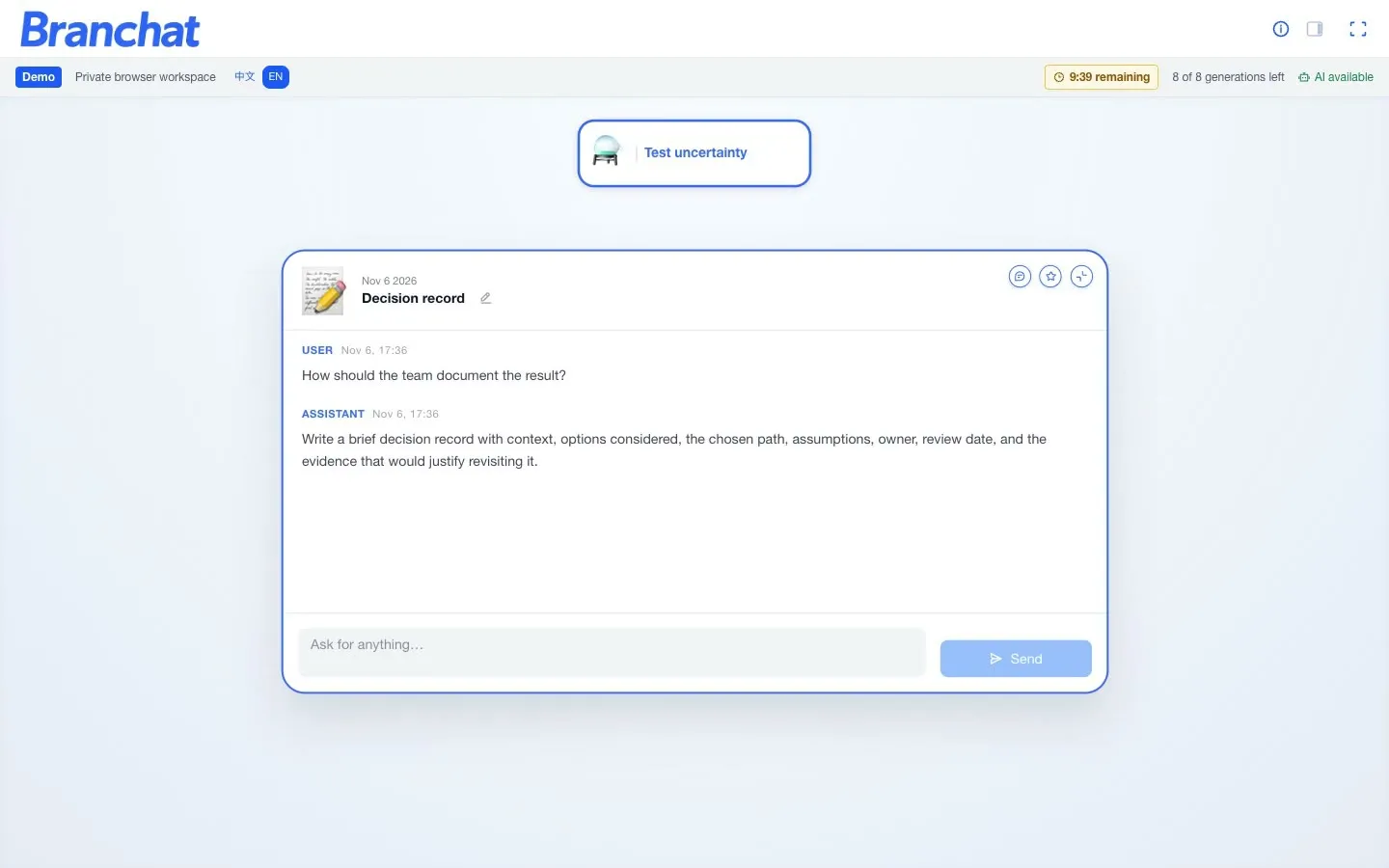
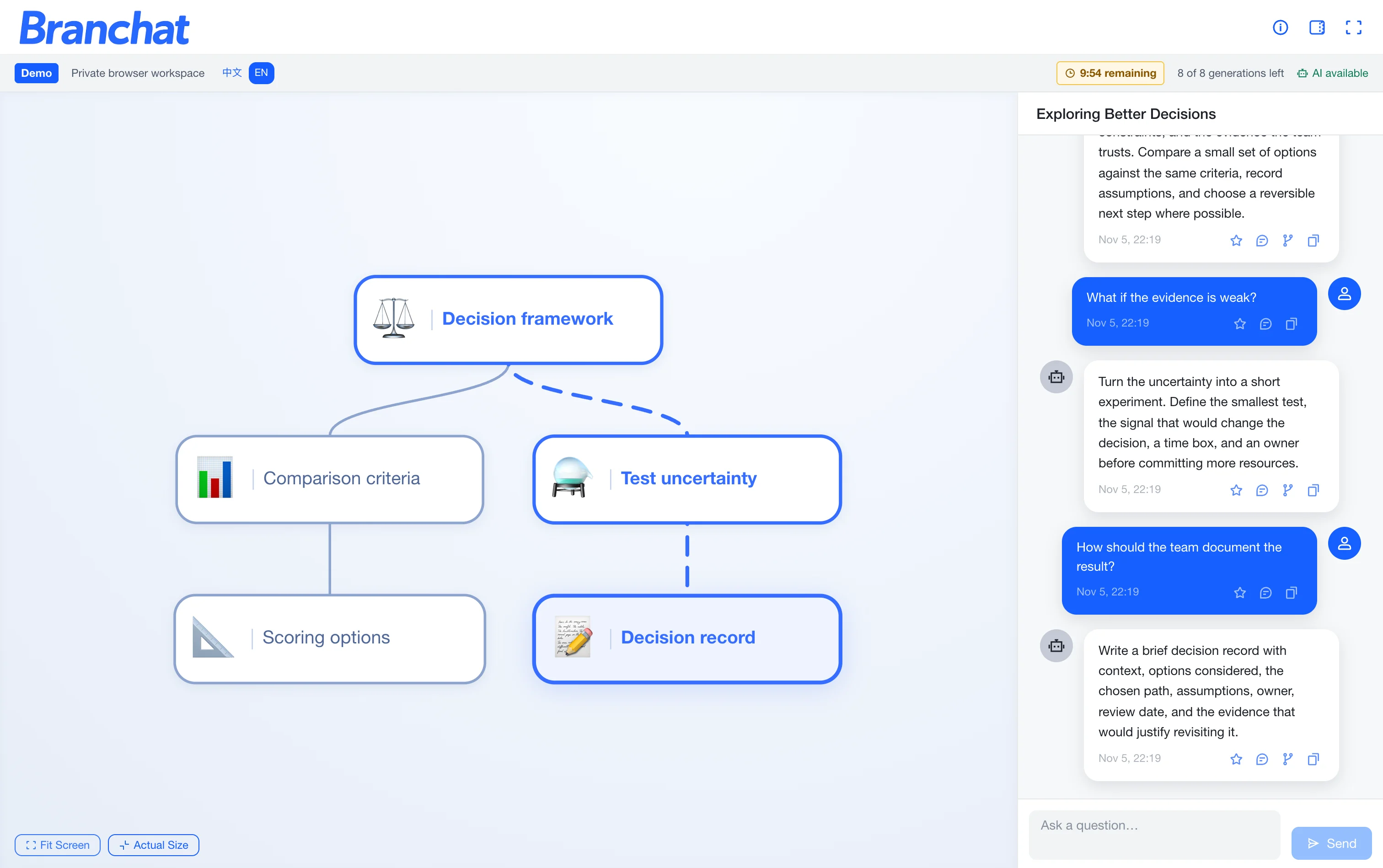
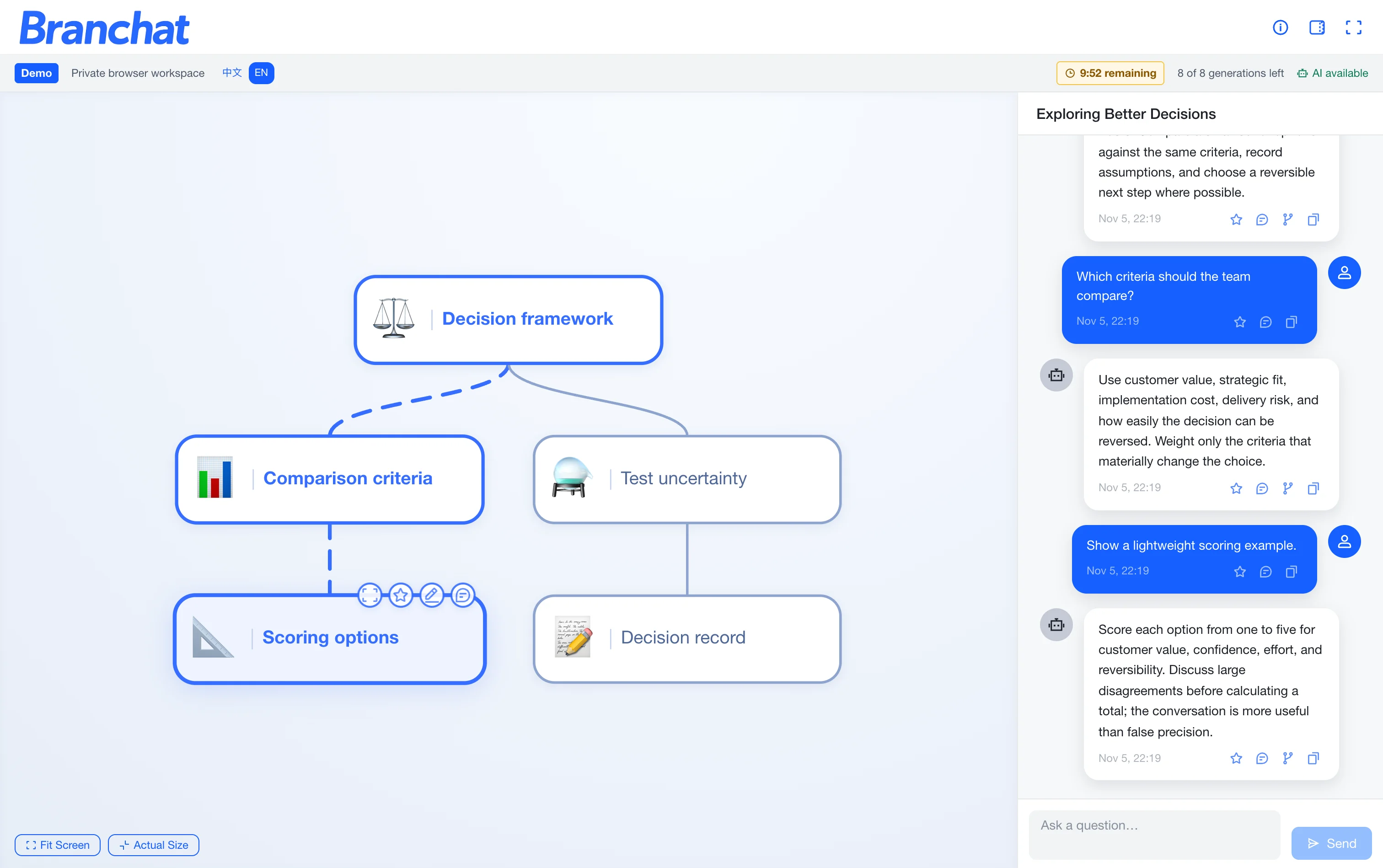
Screen recording of the Branchat demo. A conversation tree branches from the root node Decision framework. Clicking different nodes switches the right panel to that branch's full conversation. The Decision record node is then expanded to show its single exchange, and a comment is added to the Scoring options node.
The problem
The longer an LLM conversation gets, the further a linear chat pushes earlier discussion out of view. Going back to a decision, comparing two approaches or reusing earlier context means scrolling and piecing the thread together again.
Design approach
Turn the conversation from a linear record into a structure people can navigate: find the context they need, compare branches, and continue from any node.
Branchat
Branchat organizes a conversation as an interactive tree. People can follow a path, branch from any node, mark key nodes, and find earlier content with text or semantic search. It is built on a D3 tree workspace, streaming chat, persistent history and retrieval-aware search. The product of the same name won Best Project, IT5007 track, 27th NUS STePS.
Interaction
1. Start a new root conversation, or select an existing node
The selected node becomes the starting point, and a new message there becomes its child. The original path stays as it was, so alternatives can grow side by side.
2. The chat shows only the path to the selected node
The chat panel shows only the selected node and its ancestors, not every branch. Each continuation carries the context of its own path, and the other branches stay on the tree.
Paper
The paper is published in the CHI 2026 Proceedings:
Jiaming Li, Peinuan Qin, and Yi-Chieh Lee. 2026. Branchat: A Tree-Structured Interface for Efficient Revisitation in Long-Horizon LLM Conversations. In Proceedings of the Extended Abstracts of the 2026 CHI Conference on Human Factors in Computing Systems (CHI EA ’26). ACM. https://doi.org/10.1145/3772363.3798792
The study used information-revisitation tasks, logged interaction in the prototype, and ran a 12-participant within-subject comparison with a Latin-square design. On complex retrieval tasks, participants finished faster with the tree interface and reported lower cognitive load.
